
A calm family planner for school, plans and everything in between
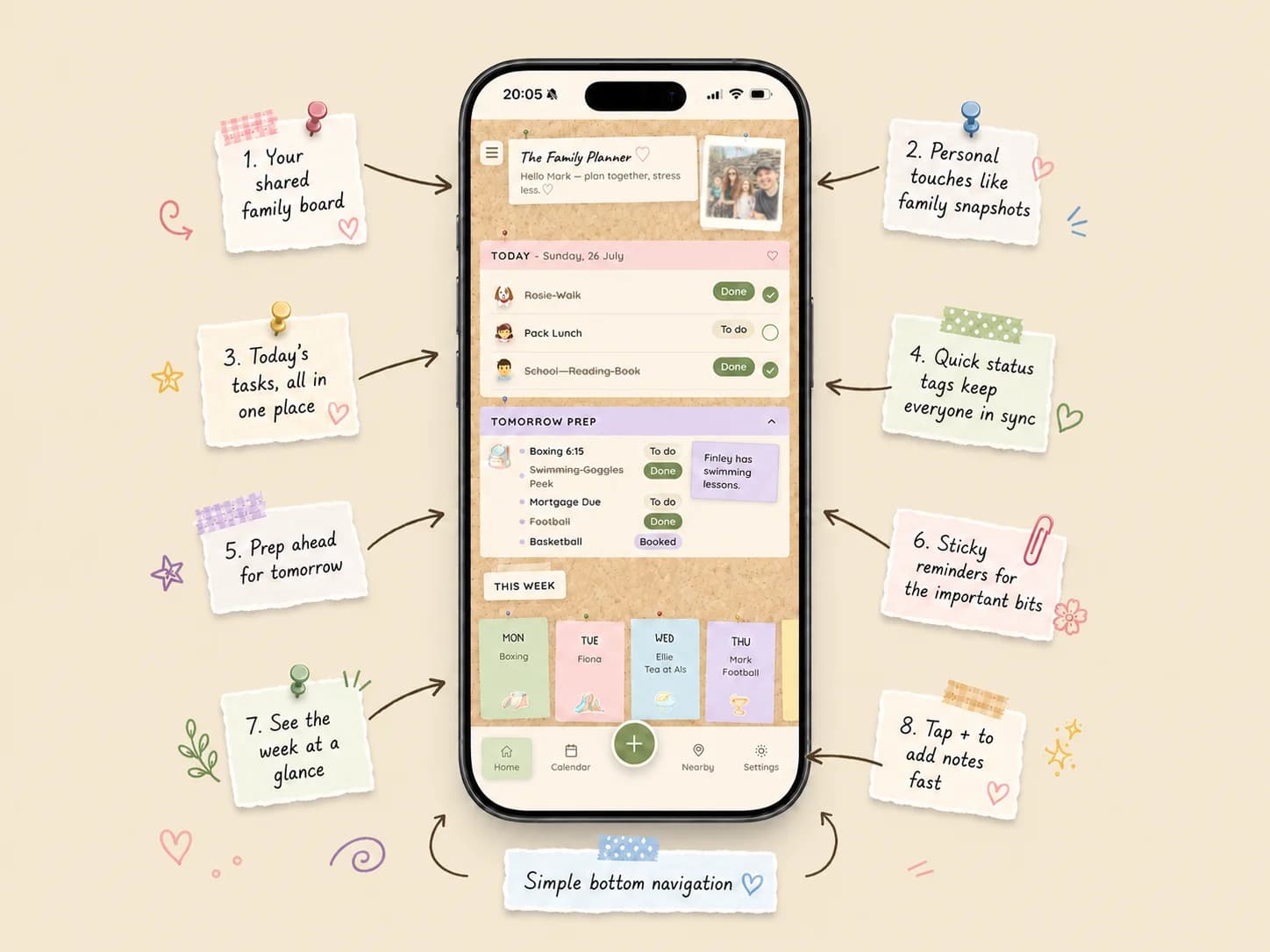
Little Corkboard pins today, tomorrow's prep and the whole week onto one shared board, so the thing someone told you while you were making tea doesn't get lost.
Free to start · Made for iOS
What is a family planner app?
A family planner app is one place for everything a household has to remember: school dates, clubs, appointments, shopping, packed lunches and the odd loose thought. Instead of a calendar, a notes app and three group chats, it keeps it together and shows everyone the same plan.
Little Corkboard looks like a real corkboard, with sticky notes pinned to it, so it feels friendlier than a spreadsheet and quicker to scan than a long list.
How Little Corkboard keeps your week together
- Say it once. Talk or type a messy brain dump and it splits into tidy, dated notes.
- Tomorrow prep. A short list for tonight: PE kit, packed lunch, form to sign.
- The week at a glance. Mon to Fri post-its show what's on each day.
- Reminders that arrive when you need them, not a wall of notifications.
- Family photos, little games and nearby ideas for the good bits too.
Made for the people who run the household
It's built for parents and carers who carry the mental load: the ones who know which day is swimming, where the school form went and what's for tea. Everyone in the household sees the same board, so it stops living in one person's head.
Add the kids, the grown-ups and the pets, and tag a note to whoever it's for.
Free to start
You can start using Little Corkboard without paying. Little Corkboard Plus adds unlimited brain dumps, family members and the full nearby list, and begins with a free trial.
Questions parents ask
Is Little Corkboard free?
It's free to start. Little Corkboard Plus is an optional subscription that adds unlimited brain dumps, family members and the full nearby ideas list, and it begins with a free trial.
Can two parents share one board?
Yes. Everyone in the household sees the same board, so plans, prep lists and reminders aren't stuck on one person's phone.
Can I add notes by talking instead of typing?
Yes. Talk or type a messy brain dump, for example "swimming Friday, PE kit Monday, book dentist", and it's split into separate notes with dates.
Which phones does it work on?
Little Corkboard is made for iPhone. An Android version is planned.
Does it replace my phone's calendar?
It sits alongside it. You can connect your phone's calendars to see their events next to your family plans, and your own calendar stays private to you.
Get the occasional tip
Calm ideas for running a family, plus news when Little Corkboard launches somewhere new.